AutoLauncher
The AutoLauncher automatically detects which game is running and launches the appropriate text hooking tool and/or OCR for that game. It eliminates the need to manually start text hooking and OCR each time you switch games.
Video Guide
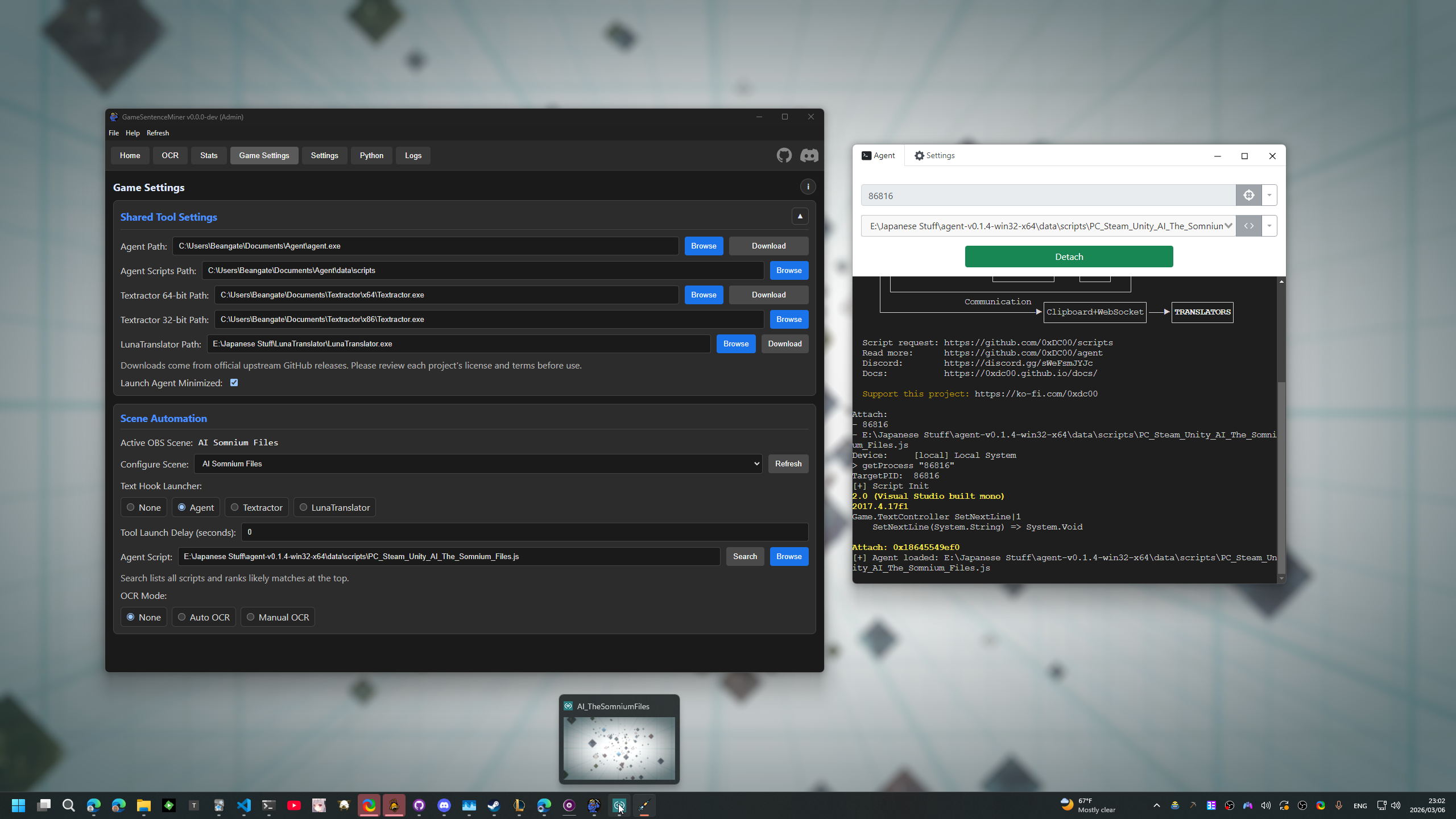
How It Works
- GSM monitors the current OBS scene to determine which game is active.
- For each scene, you configure a launch profile that specifies:
- Which text hooker to use (Agent, Textractor, LunaTranslator, or none).
- Whether to start OCR automatically.
- When a game is detected, GSM waits an optional delay, then launches the configured tools.
- When the game exits, GSM cleans up — stopping OCR and closing the text hooker.
- If Agent crashes, it relaunches automatically.
Setup
1. Configure Tool Paths
In GSM's settings under the Game tab, set the paths to your installed tools:
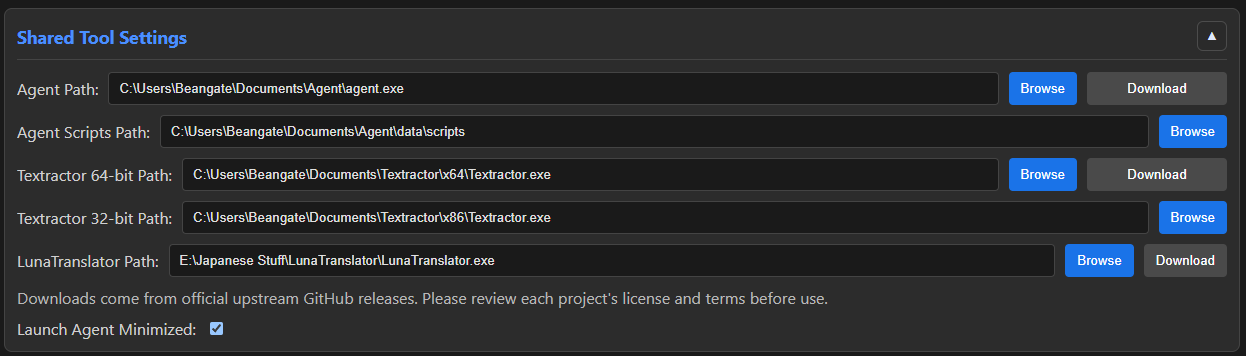
| Setting | Description |
|---|---|
Agent Path | Path to the Agent executable |
Agent Scripts Path | Directory containing Agent script files |
Textractor Path (64-bit) | Path to 64-bit Textractor |
Textractor Path (32-bit) | Path to 32-bit Textractor |
LunaTranslator Path | Path to LunaTranslator executable |
2. Configure Scene Profiles
In the Launcher tab, each OBS scene gets its own profile:
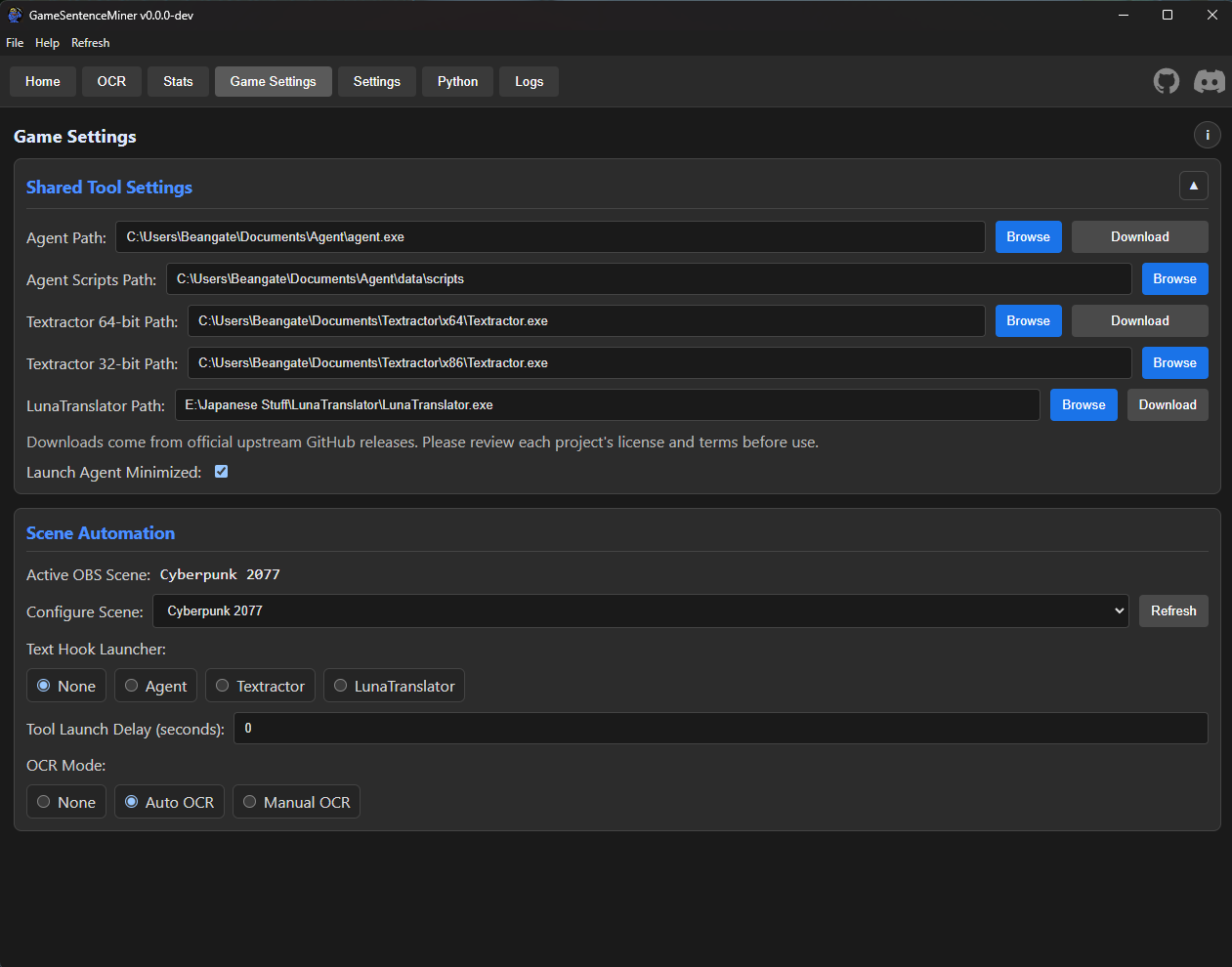
| Setting | Description |
|---|---|
| Text Hook Mode | none, agent, textractor, or luna |
| OCR Mode | none, auto (continuous), or manual (hotkey-only) |
| Agent Script | Path to the Agent script for this specific game |
| Launch Delay | Seconds to wait before launching (0–300) |
3. Additional Options
| Setting | Description |
|---|---|
Launch Agent Minimized | Start Agent in a minimized window |
Launch Textractor Minimized | Start Textractor minimized |
Launch LunaTranslator Minimized | Start LunaTranslator minimized |
Text Hooker Modes
Agent
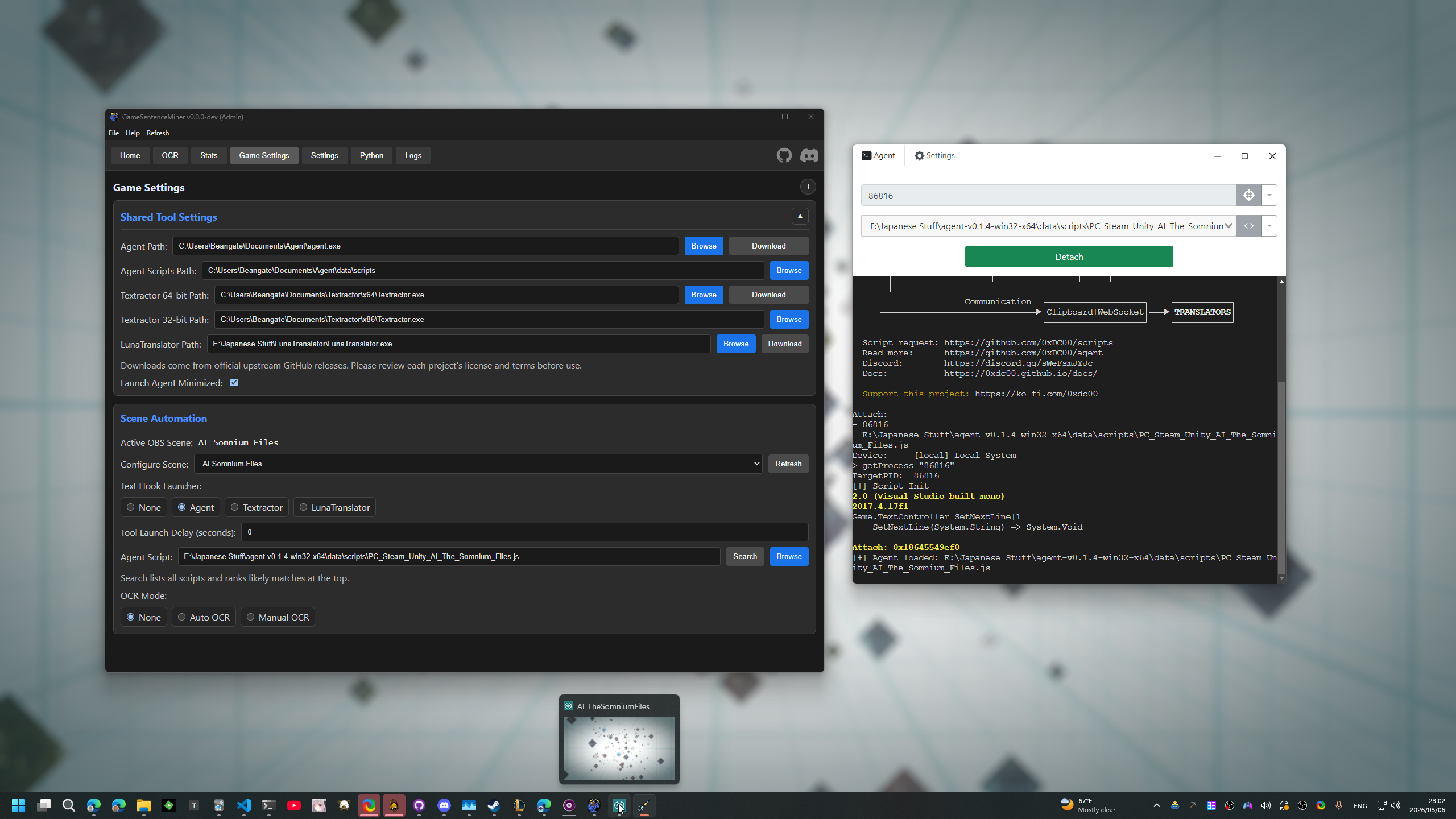
- Spawns Agent with the game's process name and (optionally) a script file.
- Automatically resolves scripts from your scripts directory.
- If Agent crashes, it relaunches automatically.
- Tracks the Agent process to avoid duplicate launches.
Textractor
- Automatically selects 32-bit or 64-bit Textractor based on the game's executable architecture.
- Launched as a detached process.
LunaTranslator
- Launched as a detached process with the configured path.
OCR Modes
| Mode | Behavior |
|---|---|
| None | No OCR automation for this game. |
| Auto | Starts continuous OCR using the scene's saved area config as soon as the game is detected. |
| Manual | Starts OCR in hotkey-only mode — scanning only triggers on hotkey press. |
note
If you manually stop OCR, the AutoLauncher won't restart it until the game/scene changes. This prevents it from overriding your intent.
Prerequisites
- OBS must be connected — scenes are used for game detection.
- At least one text hooker (Agent, Textractor, or LunaTranslator) installed and its path configured.